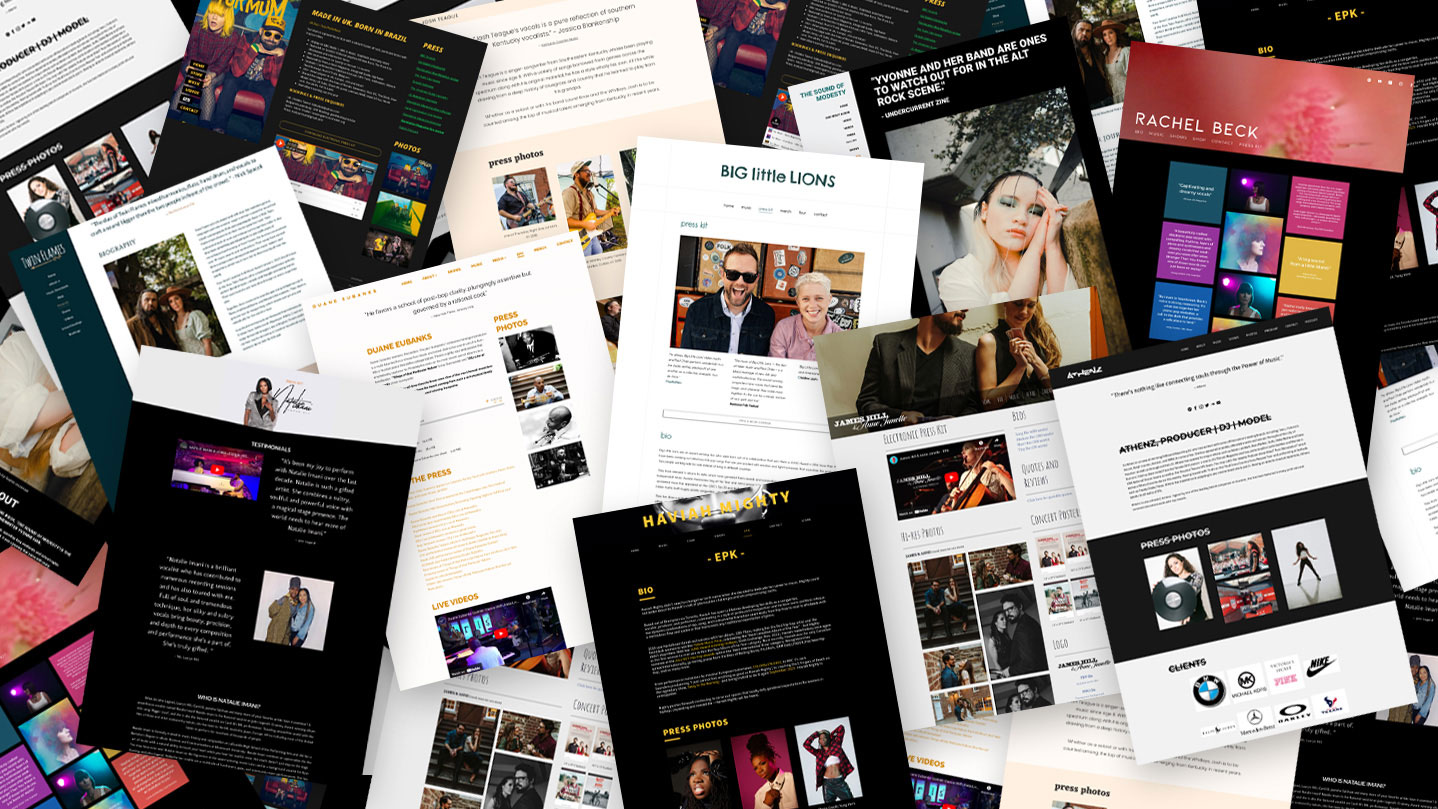
Build an EPK That Makes You Look Ready for the Industry
If you’re serious about making it in the music industry, you need more than just great tracks—you need a professional way to showcase your brand. That’s where an Electronic Press Kit (EPK) comes in.
An EPK is your music resume: a one-stop destination for labels, promoters, media, venues, brands, and other industry professionals. A strong EPK can be the difference between getting booked and getting ignored.
The Goal
Make it easy for someone in the industry to understand who you are, hear your best music, see your strongest visuals, review your accomplishments, and contact you—all in one place.
In This Guide
01
Choose the Right Format
Your EPK should be easy to access, easy to share, and easy to update. You can use one format or maintain both a web and PDF version.
BEST OVERALL
Website EPK
A dedicated page on your website gives you full design control, instant updates, shareable links, embedded media, and a mobile-friendly experience.
PORTABLE
PDF EPK
A downloadable PDF is convenient for press, booking teams, managers, and industry contacts who want something they can save or forward.
QUICK START
Template Platforms
Tools such as Canva and artist-oriented platforms can help you quickly assemble a presentable EPK when you’re starting from scratch.
Pro Tip
A web-based EPK is usually the strongest foundation because it is linkable, responsive, easy to update, and capable of embedding your music and videos directly. A PDF can then serve as a downloadable companion.
02
Craft a Strong Artist Bio
Your bio should quickly tell an industry professional who you are, what you sound like, what you’ve accomplished, and where you’re headed next.
Who are you?Your artist or stage name, location, background, and identity.
What’s your sound?Your genre, influences, style, and what makes your music distinctive.
What have you achieved?Important performances, awards, collaborations, playlist placements, press, or career milestones.
What’s next?Upcoming releases, projects, tours, showcases, campaigns, or major goals.
View an example artist bio
“Blending ’90s boom-bap with modern trap influences, [Artist Name] is a Brooklyn-based rapper with a storytelling style that has caught the attention of industry heavyweights. After opening for [Big Artist] and landing on [Major Playlist], their latest single [Song Name] is making waves. With a new album dropping soon, they are one to watch.”
03
Include Your Best Music
The person viewing your EPK should not have to search around the internet to hear what you sound like. Put your strongest work directly in front of them.
Music Checklist
Make your music easy to hear.
- Feature 3–5 top tracks that clearly represent your sound.
- Include links or embeds for Spotify, Apple Music, SoundCloud, Bandcamp, or other relevant platforms.
- Provide downloadable files when appropriate for media, radio, DJs, or label contacts.
- Put your newest or most important release near the top.
04
Add High-Quality Photos & Visuals
Your EPK is visual as well as informational. Give press, promoters, and partners professional assets they can actually use.
PRESS PHOTOS
2–3 Strong Images
Include professional portrait and landscape options so publications and promoters have flexibility.
RELEASE ART
Current Artwork
Provide high-quality artwork for your latest album, EP, mixtape, or single.
LIVE CONTENT
Performance Photos
Strong live shots can communicate your energy, crowd presence, and performance experience.
BRAND ASSETS
Logo & Graphics
Include your logo, wordmark, or other useful brand assets when available.
05
Highlight Press & Achievements
Social proof helps industry professionals understand that other people are already paying attention to what you’re building.
01
Media Quotes & Reviews
Feature short, meaningful excerpts from reputable coverage and link back to the original article or publication when possible.
02
Playlist & Platform Placements
Highlight meaningful playlist additions, editorial placements, radio support, or other notable curation.
03
Performance Highlights
List notable venues, festivals, showcases, opening slots, tours, or other live accomplishments.
06
Add High-Quality Videos
Video gives booking agents, media contacts, and potential partners another way to understand your music, visual identity, and stage presence.
Music Video
Feature one recent or especially strong music video that represents your current direction.
Live Performance
Show promoters and booking contacts what you look and sound like on stage.
Behind the Scenes
Optional studio, rehearsal, documentary, or campaign footage can add personality and context.
07
Include Contact Info & Social Links
An impressive EPK is useless if someone interested in working with you cannot quickly figure out how to get in touch.
Bookingbookings@yourbrand.com • (555) 555-5555
Managementmanager@yourbrand.com or your publicist/representative contact.
Websiteyourbrand.com
SocialInstagram, TikTok, YouTube, X, and any other channels that matter to your audience.
Professional Detail
Use a branded email address such as yourname@yourbrand.com when possible. Small details like this can make your presentation feel significantly more professional.
Final Thoughts
Make your EPK work for you.
Your EPK is your digital business card—professional, organized, and focused on your strongest work. Whether you’re trying to land gigs, secure press, pitch brands, or start conversations with labels, a well-built EPK gives people the information they need to take you seriously.
If you don’t have one yet, start simple: a strong bio, your best music, professional visuals, notable accomplishments, and clear contact information. You can expand it as your career grows.
Need help? PairOfDice can help you build a polished EPK experience designed to present your music and brand professionally.