How to Create an Electronic Press Kit (EPK): The PairOfDice Guide for Creators
A strong electronic press kit makes it easier for the right people to discover your work and take you seriously. Whether you make music, videos, visual art, or live experiences, your EPK should tell your story, showcase your best work, and give bookers, media outlets, brands, and collaborators a reason to connect.
What Is an EPK?
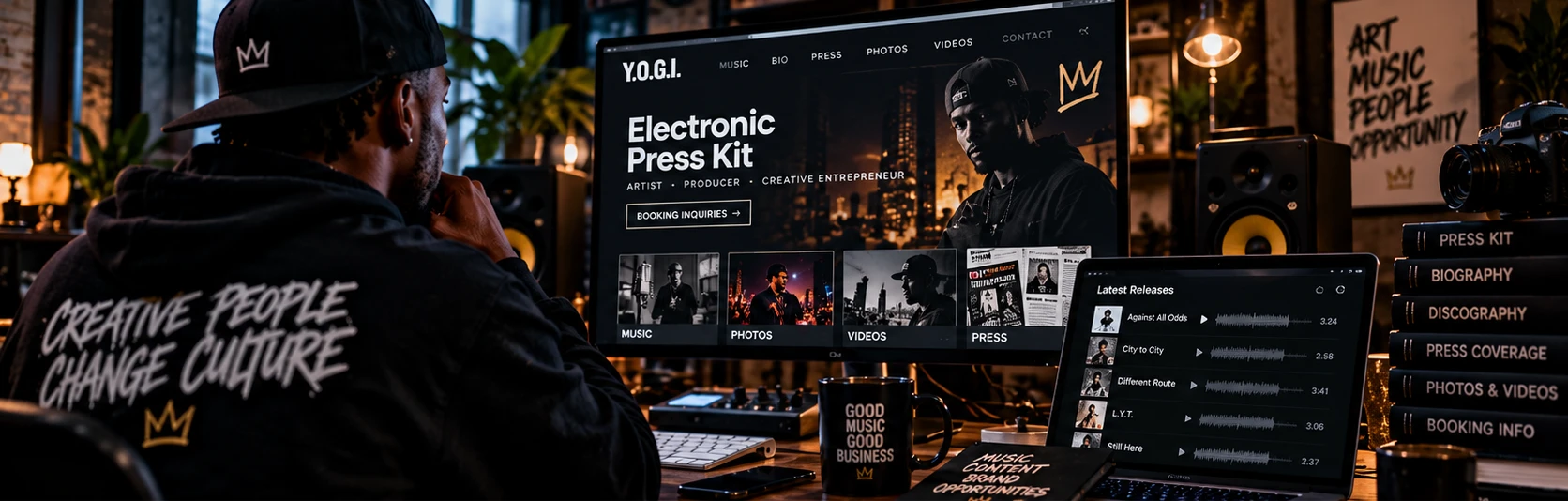
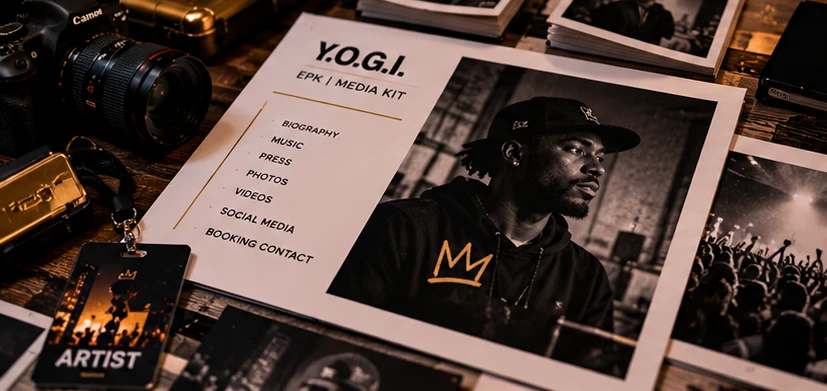
An Electronic Press Kit (EPK) is your professional introduction: a focused collection of your bio, visuals, work samples, achievements, press coverage, and contact details that someone can review or share in minutes.
Artists, producers, DJs, podcasters, filmmakers, designers, and other creatives use EPKs to turn scattered links and posts into a clear picture of who they are and what they offer.
At PairOfDice Media, we believe creators should be able to build a recognizable identity and connect their work to real opportunities. Your EPK is one piece of that foundation, alongside your creator profile, releases, videos, and the audience you build around them.
In This Guide
01
Key Components of an EPK
Your EPK should answer five questions quickly: Who are you? What do you create? What makes your work distinctive? Why should someone pay attention? How can they reach you? Build around these essentials.
A Strong Bio
What to includeYour background, creative influences, location or scene when relevant, notable projects, and a concise statement of what you bring to the table.
Why it mattersBookers and editors can understand your identity without sorting through months of social posts.
Tip
Write a short version for quick pitches and a longer version for features. Keep both in your voice, avoid exaggerated claims, and update them as your work evolves.
High-Quality Photos
What to includeA small collection of sharp, rights-cleared portraits, performance shots, behind-the-scenes images, or product photography that reflects your visual identity.
Why it mattersQuality images help your pitch stand out and make it easier for publications and event organizers to feature you.
Music, Video Samples or Portfolio
MUSICIANS
Feature Your Best Music
Highlight a few standout tracks, releases, or performances. Give people a direct way to listen, including your releases featured on PairOfDice when applicable.
VISUAL CREATIVES
Show Your Portfolio
Filmmakers, photographers, designers, and video creators should link a short reel, gallery, or curated portfolio. Use your best examples, not everything you have ever produced.
The goal is simple: make your strongest work easy to experience, then make the next action obvious.
Press Coverage & Testimonials
What to includeA few accurate quotes from press coverage, collaborators, event organizers, customers, or clients, with attribution and links where available.
Why it mattersCredible third-party feedback helps someone evaluate you without relying only on your own description.
Contact Information
What to includeA professional booking or business email, relevant social links, your website or PairOfDice creator profile, and a clear indication of what inquiries you accept.
Why it mattersA good EPK should make it effortless for someone to request an interview, book a performance, license work, or discuss a project.
Press & Media Mentions
What to includeLinks to interviews, reviews, podcast appearances, radio features, or editorial mentions. Include PairOfDice coverage when you have actually received it.
Why it mattersRelevant coverage provides context about your reach and participation in the wider creative community.
Press Release (Optional)
What to includeA concise announcement of a new album, film, collection, performance, tour date, or other newsworthy project, with verifiable details.
Why it mattersA clear announcement gives editors a timely reason to consider covering your work.
02
How to Design Your EPK
Good design supports your story; it should never get in the way. Make your EPK feel like your brand while keeping it fast, legible, and easy to share.
Choose Your Platform
Accessible Options
Build It Yourself
Start with a clean document or downloadable PDF if you need something immediately. Keep your materials organized so you can update them without rebuilding everything.
Hosted Options
EPK Platforms
A shareable web-based EPK is often easier to keep current than a PDF. For creators in the PairOfDice ecosystem, your creator profile and EPK can help keep your identity, media, and professional information connected.
Design Tips
1
Keep It Clean
Lead with your name, a strong image, a concise description, and your best work. Make the rest easy to scan with clear headings.
2
Stay On Brand
Carry over the same voice, imagery, logos, and color choices people recognize from your music, content, or creative brand.
3
Make It Mobile-Friendly
Assume a promoter or editor will open your link on a phone. Check that media plays, buttons work, images load, and your contact link is easy to tap.
03
How to Distribute Your EPK
An EPK only helps if the people who need it can find it. Prepare one reliable link and use it consistently in your outreach.
Make It Accessible
- Keep a shareable web link and, when useful, a lightweight PDF version for email attachments.
- Make the EPK accessible from your site or creator profile, rather than burying it in social posts.
- Check every music, video, portfolio, booking, and contact link before you send a pitch.
Where to Share It
Direct Outreach
Send a short, personalized pitch to venue bookers, journalists, festival organizers, collaborators, and brands; link your EPK instead of attaching a pile of files.
Your Website
Place it in your website navigation, press page, and PairOfDice creator profile where appropriate, so interested visitors have a direct path to your work.
Social Profiles
Include your EPK link in your social bio or link hub when you are pursuing interviews, performances, partnerships, or clients.
04
Tips for an Effective EPK
Your EPK is a living asset. Every release, meaningful performance, finished campaign, or credible feature is a chance to improve how you present yourself.
EPK Checklist
Before you send your EPK…
- Keep it current. Add important releases, new work, recent images, genuine press mentions, and measurable milestones.
- Make it relevant. Lead with live footage for venue bookers, portfolio results for clients, or your strongest story angle for editorial pitches.
- Make sharing simple. Provide a single clear link and keep your music, videos, portfolio, and social profiles easy to reach.
- Make the next step clear. Show the right business or booking email and specify the type of opportunities you are open to.
- Test the experience. Open your EPK on desktop and mobile and verify that playback, downloads, and contact buttons work.
Final Thoughts
Your work deserves a professional introduction.
You do not need a major label, a large agency, or an enormous following to present yourself professionally. A clear bio, compelling media, credible work samples, and an easy contact path can put you in a better position when opportunities appear.
Build your EPK, keep your creator identity organized, and give people a reason to discover what you do next. Explore PairOfDice Media to connect with our independent creative community and discover the music, media, and creator experiences we are building.