
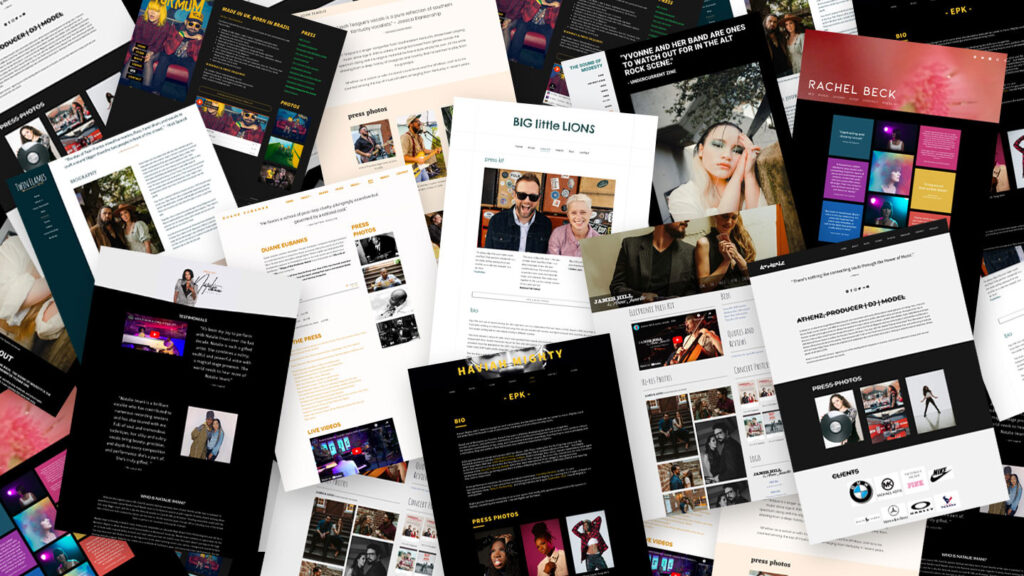
Create an Electronic Press Kit (EPK) That Gets You Noticed
If you’re serious about making it in the music industry, you need more than just great tracks—you need a professional way to showcase your brand. That’s where an Electronic Press Kit (EPK) comes in.
An EPK is your music resume, a one-stop shop for labels, promoters, and media. A strong EPK can be the difference between getting booked or getting ignored. This guide shows you how to build one that actually opens doors.
Step 1: Choose the Right Format
Your EPK should be easy to access and share. Pick one (or use both):
-
A page on your website
Full design control and instant updates. -
A PDF document
Simple and professional for press kits. -
Template platforms
Sonicbids, ReverbNation, or Canva for a quick start.
Pro tip: A web-based EPK is usually best—linkable, mobile-friendly, and always current.
Step 2: Craft a Strong Artist Bio
Your bio should be short, engaging, and answer:
-
Who are you? Name/stage name & background.
-
What’s your sound? Genres, influences, unique style.
-
What have you achieved? Performances, awards, collabs, press.
-
What’s next? Upcoming releases, tours, or goals.
Example Bio Snippet
Click to view example
“Blending 90s boom-bap with modern trap influences, [Artist Name] is a Brooklyn-based rapper with a storytelling style that has caught the attention of industry heavyweights. After opening for [Big Artist] and landing on [Major Playlist], their latest single [Song Name] is making waves. With a new album dropping soon, they are one to watch.”
Step 3: Include Your Best Music
Make your top work easy to play:
-
3–5 top tracks that define your sound.
-
Links to Spotify, Apple Music, SoundCloud, Bandcamp.
-
Optional downloads for media/labels.
Step 4: Add High-Quality Photos & Visuals
-
2–3 press photos (portrait & landscape).
-
Album/single artwork for latest project.
-
Live shots showing stage presence.
-
Logo/brand assets if available.
Step 5: Highlight Press & Achievements
-
Media quotes & reviews (short excerpts).
-
Major playlist adds and curations.
-
Performance highlights (venues, festivals, support acts).
Step 6: Add High-Quality Videos
-
One recent/popular music video.
-
Live performance clip.
-
Optional behind-the-scenes content.
Step 7: Contact Info & Social Links
-
Booking: bookings@yourbrand.com • (555) 555-5555
-
Management/Publicist: manager@yourbrand.com
-
Website: yourbrand.com
-
Social: Instagram, TikTok, YouTube, X/Twitter
Tip: Use a custom email like yourname@yourbrand.com for professionalism.
Step 8: Make It Downloadable & Shareable
-
Web page version (preferred).
-
PDF download for press/booking.
-
Mobile-friendly layout.
If you need to share high-res files, add Google Drive/Dropbox links.
Final Thoughts: Make Your EPK Work for You
Your EPK is your digital business card—professional, organized, and focused on your best work. Whether you’re landing gigs, securing press, or pitching brands, a well-made EPK opens doors.
If you don’t have one yet, start with a simple one-pager (bio, top tracks, visuals, contacts) and build from there.
Need help? We can design a conversion-ready EPK page and matching PDF for your next campaign.
